Write the order on the route. Print the receipt at the door.
Routero is sales and delivery software for distributors. Reps take orders on a phone or tablet, drivers collect signatures and payments, and the office sees stock and balances. It keeps working when the signal drops.
14 days free. No card needed. English and Spanish.
From sign-up to signed receipts in three steps
Set up your company
Create your account, add your products and customers or import them, and add your logo and colors. Want to practice first? Load made-up test data and delete it with one tap.
Sell and deliver on the route
Reps ring up orders on a phone or tablet, even with no signal. Drivers open their stops, mark each one delivered, take payment and capture a signature.
Print, collect and follow up
Print receipts on a thermal printer, see which customers owe you and for how long, and check stock and sales from the office.
What is in Routero
Everything on this list is in the app now. Which modules you get depends on your plan.
- Point of sale on the route
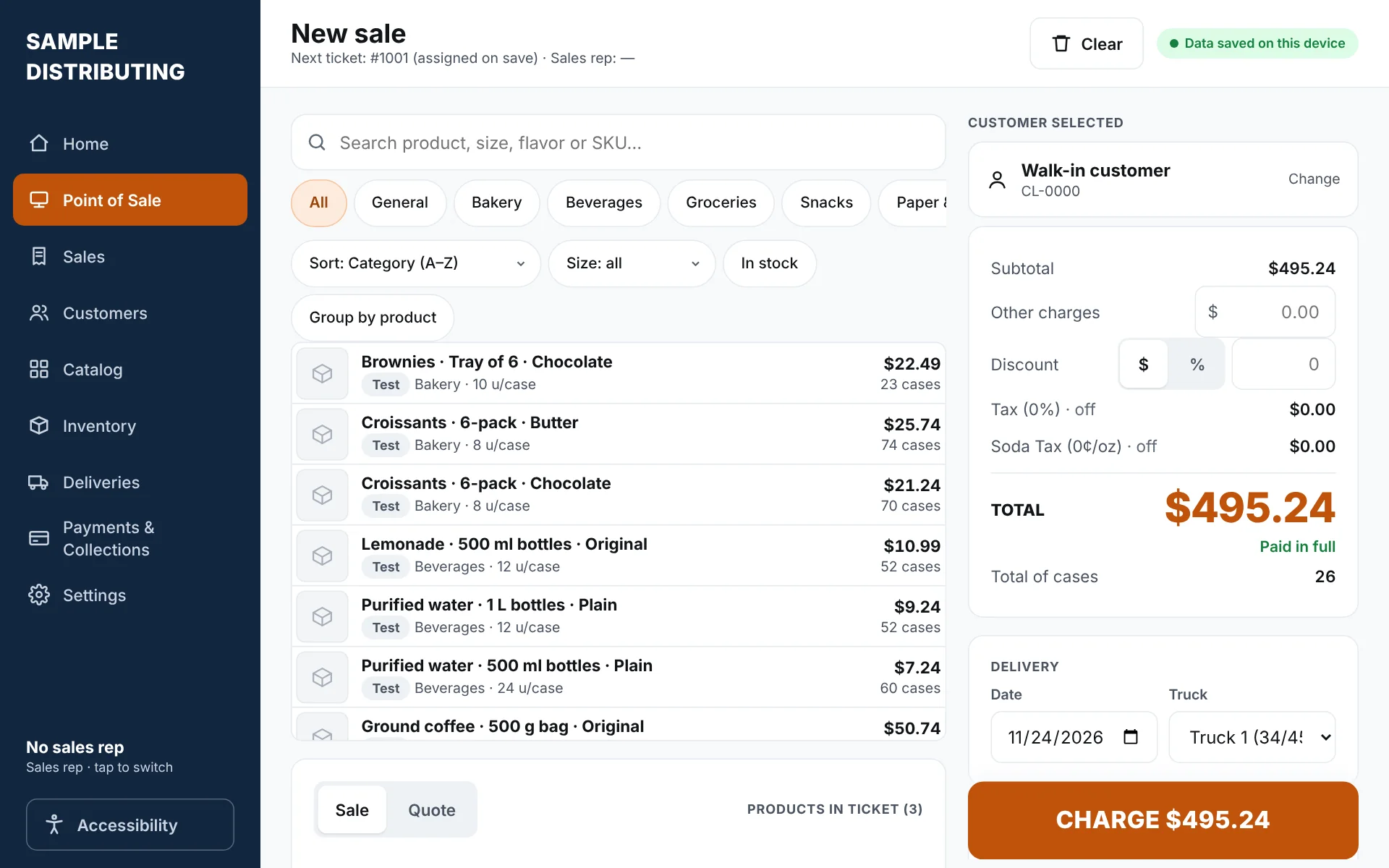
- Build a ticket in seconds: search by product, size or flavor, apply each customer's prices, discounts and taxes, set a minimum order, and send a quote when the customer is not ready to buy.
- Customers and balances
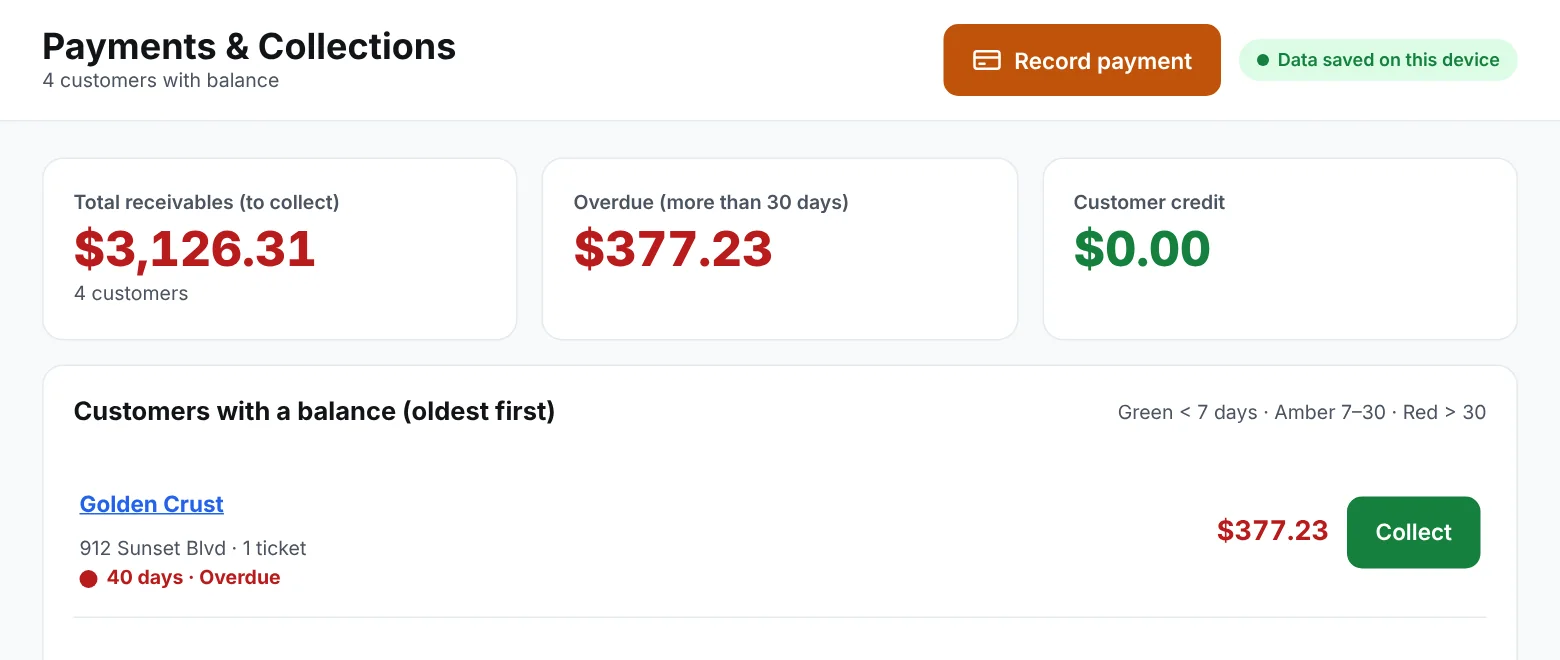
- One record per customer with address, phone, zone and what they owe. The collections list shows who is current, late or overdue.
- Catalog with photos
- Products by size, flavor and units per case, with reference photos so reps pick the right item.
- Inventory
- Receive merchandise, follow stock by product and block sales when something is out of stock.
- Deliveries with signature
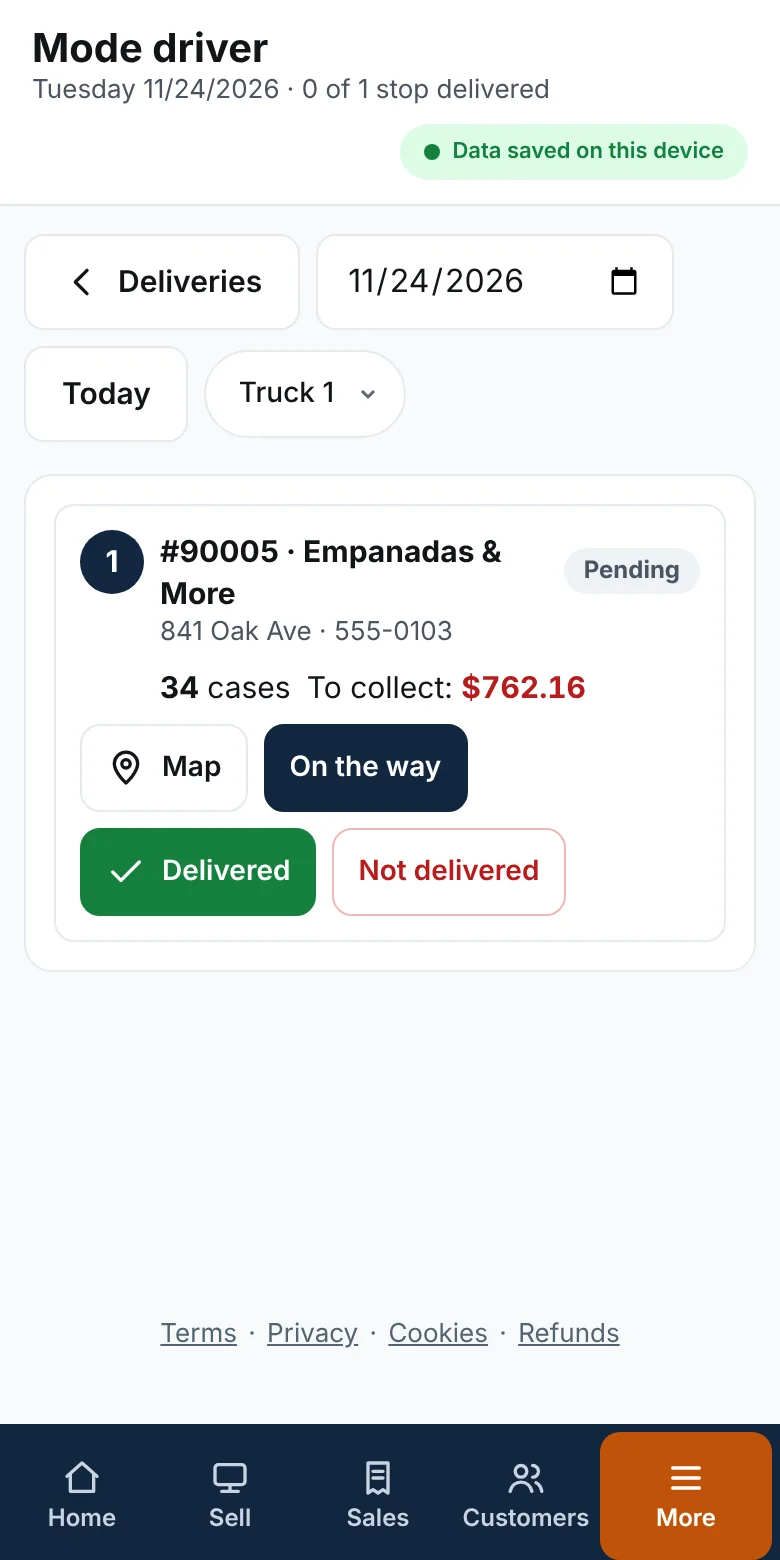
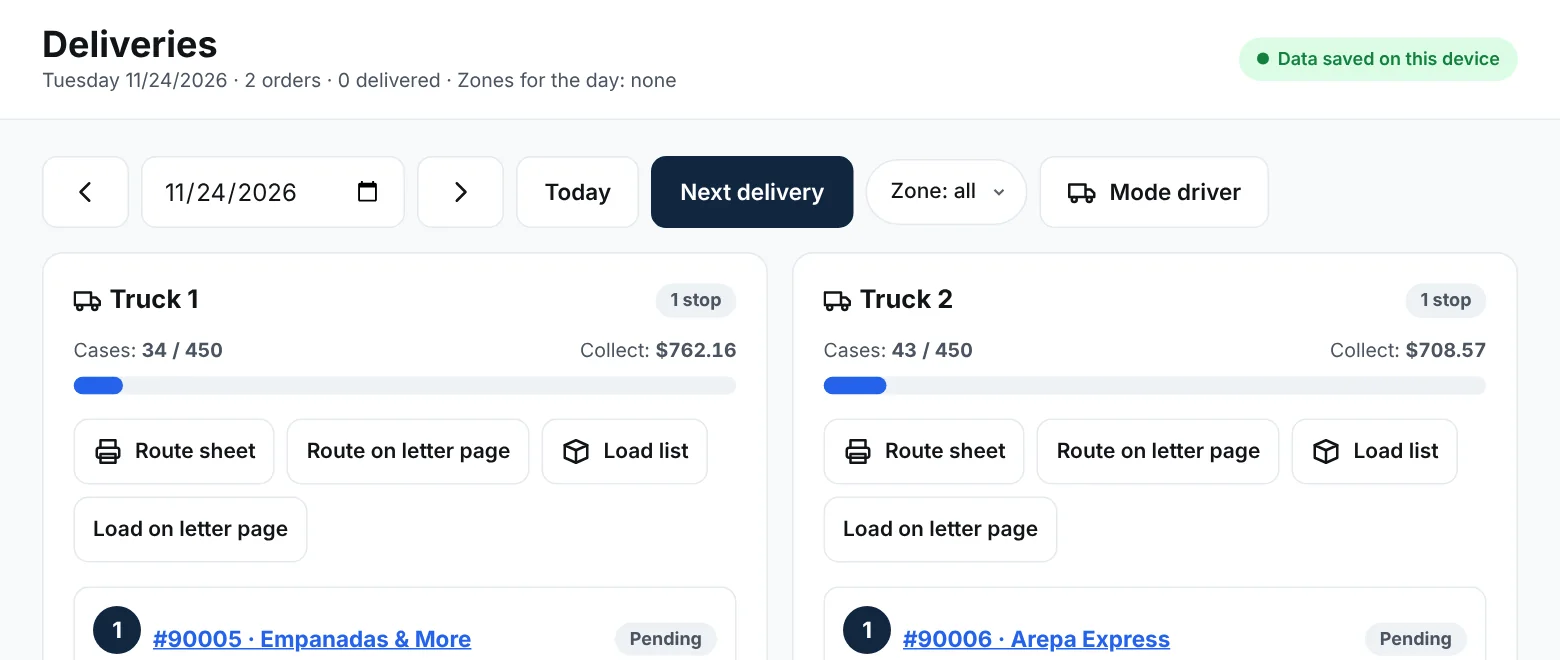
- Plan each day by truck and zone, give drivers a route sheet and a driver mode, and capture the customer's signature at the door.
- Payments and collections
- Record cash, check or Zelle payments, accept partial payments and see every open balance.
- Printed receipts
- 3-inch and 4-inch thermal receipts with your logo and notes. Print with a Star printer through the Star PassPRNT app, or from the browser's print dialog.
- Works offline
- Sales and deliveries are saved on the device first and sync when the connection comes back.
- People and permissions
- Give each person a profile, such as owner, dispatch, sales or driver, and decide what they can see and do. Costs stay hidden from people who do not need them.
- Your brand
- Your company name, logo, colors and receipt text show across the app and on printed receipts. Start from a template for your type of business.
- English and Spanish
- Switch the whole app between English and Spanish on each device.
See it working
Real screens from the app, loaded with made-up sample data.
Try it with your own products
14 days free with the Distribution features. No card needed.